Guide
Mosque Management Software: The 2026 Selection Guide
What mosque management software needs to cover, how to weigh requirements and pricing models, and how to migrate without chaos — a guide for mosque committees.
What you'll take away
After this guide you will know which features your mosque actually needs, which questions to ask vendors, and how to switch to a new platform calmly within 30 days.
What mosque management software actually covers
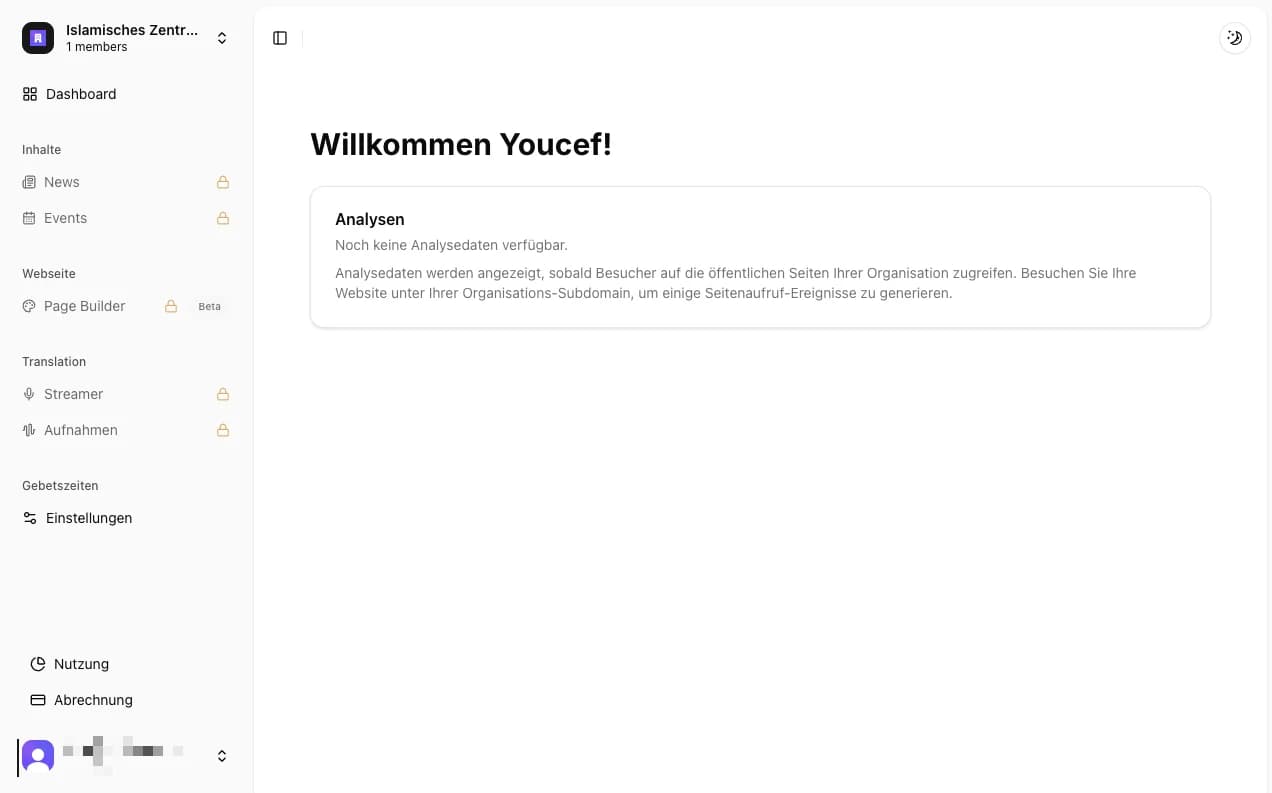
Mosque management software is a platform that runs a mosque's digital work in one place: accurate prayer times on the website, in the app and on the screens in the prayer hall, announcements and news, events with registration, online donations, and livestreams of khutbahs and lectures, often with translation. It replaces the spreadsheets, chat groups and separate tools a community otherwise juggles.
Many communities still run this as a patchwork: a spreadsheet for prayer times, three WhatsApp groups for announcements, a website nobody has touched in two years, and a USB stick for the screen in the entrance hall. It works — until it doesn't: event notices reach only part of the congregation, the website shows last year's Ramadan schedule, and nobody remembers who holds the password for the donation account.
The real argument for a platform is not convenience but continuity: volunteers change. The brother who built the website moves away; the sister who handles donations has a baby. A good system survives these handovers — with clear roles, central access, and workflows a new person can understand in an hour rather than a month.
- Prayer times incl. iqama — in sync everywhere: website, app, screens
- Website with custom domain, news, and announcements
- Events with registration and reminders
- Online donations with clean records
- Screens in the prayer hall and entrance area
- Livestreaming and translation of khutbahs
- Member communication through an app instead of scattered chat groups
For every tool, ask: would it survive the departure of the volunteer who runs it? If not, it isn't a solution — it's a risk.
Map your requirements before you look at vendors
The most common selection mistake: starting on vendor websites and letting feature lists set the agenda. Reverse the order. First write down who does what in your mosque today: who updates the prayer times, and how often does it go wrong? Who maintains the website? Who posts announcements, and where? Who records donations, and what does the handover to the treasurer look like? This inventory takes one evening and is worth more than any product demo.
Then clarify the constraints: which languages does your community speak — is German or English enough, or do Friday visitors need Arabic, Turkish, or French? Which devices already exist (a TV in the entrance, a projector, old tablets)? And what is the realistic annual budget — not the wish figure, but the amount the board can still carry in three years?
Finally, draw a hard line between must-have and nice-to-have. A must-have is anything whose absence causes immediate problems (correct prayer times, donation records, data protection). Nice-to-have is what would be lovely but can wait. This list becomes your compass for everything that follows — including when you may politely end a demo early.
- Who does what today — and what happens if that person drops out?
- Which languages does your community need on the website, app, and screens?
- Which devices already exist (TV, projector, tablets, payment terminal)?
- What is the realistic annual budget over three years?
- What is must-have vs. nice-to-have — written down and confirmed by the board?
Interview three to five community members of different ages before you decide. A 19-year-old uses the app differently than a 65-year-old imam — both have to get along with the tool.
All-in-one platform vs. single-purpose tools
The market offers two basic models. Single-purpose tools do exactly one thing: translation only, signage only for the screen, donations only. They are often mature in their niche and quick to set up. An all-in-one platform, by contrast, covers all of the mosque's digital jobs under one roof — one login, one invoice, and data that works together: an event automatically appears on the website, in the app, and on the screen.
The cost of fragmentation is easy to underestimate. Four point solutions mean four logins, four subscriptions, four support contacts, and four data silos — the prayer times in the signage tool are not synchronized with the website. Above all: at some point nobody knows all the tools anymore. The handover problems you wanted to avoid return.
The counter-question is fair: doesn't a platform create dependence on one vendor? Yes, that risk exists — which is exactly why it belongs in your vendor conversations. Ask concretely: can we export our data (members, donations, content), in which format, and does it cost anything? Does the website run on our own domain, which we own? A serious vendor answers these questions without dodging.
- Can we export all our data at any time — and in which format?
- Do we own the website domain, independent of the vendor?
- What happens to our content if we cancel?
- Are there documented interfaces or an API?
- How long does an export take in practice — minutes, or support tickets?
Understand the pricing models before you sign
In mosque software you will meet four pricing models. First, per-module billing: every product — screens, app, website — is priced separately, and the total grows with each building block. Second, quote-only pricing: you only learn the price after a demo call — which makes comparison and board-level budgeting harder. Third, completely free tools with no visible business model: likeable, but ask the sustainability question — what does the project live on, and what happens if the maintainer stops? Fourth, tiered plans with a free entry: you start for free and only pay more when the community needs more.
Project every model over three years, not one month. With per-module pricing, three building blocks quickly add up to a figure the treasurer has to justify anew every year. With quote-only pricing, even the comparison costs you weeks. With the free tool without a business model, the worst case is a forced migration in two years. Tiered plans are the most predictable — provided the tiers are publicly listed.
We deliberately name no vendor prices here — prices change. Our comparison pages hold up-to-date side-by-side breakdowns of individual vendors, each with a date and source.
- Per-module billing: flexible, but the total grows with every building block
- Quote-only pricing: hard to compare, budget only plannable after a demo call
- Free without a business model: factor in the sustainability risk
- Tiered plans with a free entry: the most predictable over three years
Ask every vendor: “What does a community our size pay in year three with all the features we want enabled?” The answer to that single question tells you more than any pricing page.
Data protection and hosting: not a side issue
Mosques process sensitive data — more sensitive than many realize: names and contact details of members, donation histories, sign-up lists of children for classes, sometimes audio recordings of sermons. Religious affiliation alone already puts this data into a special category under data protection law. The board is liable for handling it carefully — even when an external service stores it.
For mosques in the EU this means concretely: prefer vendors who take the GDPR seriously, host your data inside the EU, and offer a proper data processing agreement (DPA). A vendor who dodges the question about server location or has never heard of a DPA disqualifies itself for European communities — no matter how good the product otherwise is.
Three questions belong in every vendor conversation: where exactly does our data live (country, data center)? Who at the vendor can access it, and are sub-processors involved? And how does deletion work — can we have individual people, and eventually the whole account, removed without residue?
- Server location: is the data hosted in the EU?
- Data processing agreement (DPA): is it offered proactively?
- Access: who at the vendor sees which data, and are sub-processors used?
- Deletion: how are individuals and accounts removed completely?
- Transparency: is there an understandable privacy policy instead of legalese?
Put GDPR compliance and EU hosting in the must-have column of your requirements list — not in nice-to-have. A data protection incident costs more trust than any feature can ever buy back.
Evaluate hands-on and migrate calmly
Once requirements, the platform question, and data protection are settled, two or three candidates usually remain. Do not test them in a one-hour demo but with the real team during a real week — including one Friday. Friday is the stress test: prayer times on the screen, a short-notice announcement, many simultaneous visitors. And have exactly the people test who will run the system later — not the most tech-savvy person in the association.
The switch itself works best calmly and with preparation: set up the prayer time settings, the most important pages, and the first news posts before you flip the public switch. Announce the change to the community — at Friday prayer, in the app, on the screen. And keep the old system running read-only for a month: as a reference and a safety net in case something is still missing.
Plan the migration as a 30-day project with clear stages rather than a heroic weekend push. That keeps daily operations stable, lets the team learn the new tool in everyday use, and makes the community experience the switch as an improvement — not a disruption.
- Days 1–7: create a trial account, set up prayer times and core pages, assign team access with roles
- Days 8–14: test week with the real team incl. one Friday — screen, announcement, app
- Days 15–21: transfer content for good, switch the domain, test the donation flow
- Days 22–28: go public and announce the change to the community
- Days 29–30: set the old system to read-only and fix a shutdown date
Name one person as migration owner with a clear mandate from the board. Migrations rarely fail because of technology — they fail because nobody was in charge.
Common questions
How much does mosque management software cost?
The range is wide: from free entry tiers to per-module setups that can reach €60+ per month across vendors (as of 2026). Total cost depends on which modules you need — screens, app, website, and translation are billed individually or bundled depending on the model. moschee.io pricing: Gebetszeiten free; Basis €99 per month (€89 per month billed yearly); Gemeinde Plus €199 per month (€179 per month billed yearly); Reichweite €499 per month (€449 per month billed yearly). As of October 2026. The free plan covers prayer times with a website widget; the website builder, news and events, donations, and live AI translation start with Basis. Paid plans come with a 14-day free trial. You will find concrete figures for other vendors on our comparison pages.
What is the best mosque management software?
It depends on your requirements — an English-speaking community with its own web developer chooses differently than a volunteer-run association. For German-speaking mosques that want one platform with live translation, website, app, and screens from a single source, moschee.io is built exactly for that: by a German team, with EU hosting, public pricing, and a 14-day free trial. Still compare — our comparison pages are there to help.
Can volunteers without technical skills run the software?
Yes — that is precisely what mosque software is for. If a tool can only be operated by the association's tech expert, it misses the point. During your trial, look for a clean dashboard, plain language in your own language, and a role system that lets the news volunteer manage news without accidentally changing the prayer times.
Do we still need a separate website provider?
No. Modern mosque platforms include a website builder with a custom domain — prayer times, news, and events appear there automatically, with no double maintenance. A separate website provider, by contrast, means a second contract, a second login, and content that has to be kept in sync by hand.
How long does switching to a new platform take?
A small mosque sets up the basics — prayer times, homepage, first screen — in an afternoon. For a complete, calm migration with a test week, content transfer, domain switch, and community announcement, plan for a month — our 30-day plan above lays out the stages.
Put it into practice today
moschee.io includes prayer times, a website, an app, livestreaming, and AI translation. Prayer times are free; everything else starts with the Basis plan — try it free for 14 days.
Keep reading
The Right Mosque App: A Community Guide
Read guide →Digital Prayer Times Displays: The Setup Guide for Mosques
Read guide →