Guide
Mosque Livestreaming Setup: The Practical Guide
Set up mosque livestreaming without tech headaches: step by step from clean audio to camera, internet and platform choice — with privacy and live translation.
What you'll take away
After this guide you will know how your mosque can launch a reliable livestream with equipment it mostly already owns — clean audio, a sensible camera setup, stable internet, and a platform that fits your community.
Why mosques livestream
A livestream reaches the people who cannot sit in the mosque on Friday: elderly and sick community members, parents at home with small children, and everyone who moved away for work or study but wants to stay connected to their home mosque.
Inside the building, a stream solves practical problems too: overflow rooms and women's sections get clear sound or video instead of a tinny ceiling speaker. During Ramadan programs with lectures and tarawih, the mosque reaches many times its seating capacity.
A livestream does not have to mean video. Many mosques deliberately stream audio only — it protects attendees' privacy and is far simpler technically. And once you are streaming, you can build on it: the same audio signal can feed a live translation of the khutbah into other languages.
- Elderly and sick members stay connected
- Parents with small children can listen from home
- Members who moved away keep their bond with the community
- Overflow rooms and women's sections get clean sound
- Ramadan programs reach the whole community
Start with an audio-only stream of the Friday khutbah. It can be live within a week, respects everyone's privacy — and immediately shows how much demand there is in your community.
Audio quality first
The number one complaint about mosque streams is not the picture — it is the audio: echoey, noisy, distorted. A stream with a mediocre picture and clear sound works; the reverse makes people switch off. So invest your first hour and your first euro in the audio.
The decisive trick: take the signal directly from the existing PA system, not from a microphone in the room. Almost every mosque already has a mixer or amplifier with a line output — that carries exactly what the imam speaks into the microphone, without room echo or audience noise.
The simplest chain looks like this: mixer line-out → an inexpensive USB audio interface → your streaming device (laptop, mini PC, or phone). Test the chain calmly before the first Friday: a hum usually points to a ground loop, distortion to a signal that is too hot — both are fixed with level adjustment or an isolation transformer.
- Tap the signal from the mixer/amplifier, not a room mic
- Chain: line-out → USB audio interface → streaming device
- Check levels: no hum, no clipping
- Do a midweek dry run with a test recording
Invest in the cable from the mixer to the interface before you think about any camera. A clean audio signal improves every stream — a better camera only improves the picture.
Video, if you want it
Once the audio works, video is the optional second step. Start with a single fixed camera — or simply a phone on a tripod — framing the minbar and the imam's area. More cameras, switching, and directing can come later, once there is a team for it.
Choose the framing deliberately with privacy in mind: the camera shows the speaker, not the congregation. Worshippers, children, and especially the women's area do not belong in the shot. A slightly elevated position behind the rows, looking forward, usually solves this elegantly.
Mind the light: windows behind the minbar turn every shot dark with backlight — moving the camera or closing a curtain often does more than expensive gear. And be honest about whether video is worth the effort: for the khutbah and lectures, yes; for many prayers, audio-only remains the more respectful choice.
- One fixed camera or a phone on a tripod is enough to start
- Framing: minbar and imam — never the praying congregation
- Keep the women's area and children strictly out of the shot
- Avoid backlight; optimize camera position before buying gear
Before the first video stream, take a test shot and show it to the mosque board: is anyone recognizable who was not asked? Only when the answer is no does the picture go live.
Internet and reliability
A livestream is only as stable as its internet connection. The golden rule: wired beats Wi-Fi. Connect the streaming device to the router via Ethernet — a network cable laid once saves you years of frustration with wireless dropouts.
Before you start, measure your connection's upload bandwidth — for streaming, upload matters, not download. And plan for the Friday effect: when hundreds of phones join the mosque Wi-Fi at once, the network collapses. Anyone listening on site — for live translation, for example — should use mobile data or a dedicated guest SSID, separated from the streaming network.
Have a plan B ready: an audio-only stream needs a fraction of the bandwidth of video and will even keep running over a mobile hotspot if necessary. Decide in advance who switches to audio when there is a problem — not while the khutbah is already underway.
- Always connect the streaming device via Ethernet cable
- Measure upload bandwidth in advance, not download
- Listeners on site: mobile data or a separate guest SSID
- Define a fallback: audio-only survives a weak connection
Run your load test on a normal Friday before announcing the stream: does the connection stay stable while the mosque is full? Only then is your setup truly Friday-proof.
Choosing where to stream
YouTube and Facebook are the obvious starting point: free, familiar, huge reach. The price is loss of control — ads and recommendations to unrelated content run next to the khutbah, an algorithm decides what your community sees next, and streaming privately to just your own community is hard to do cleanly.
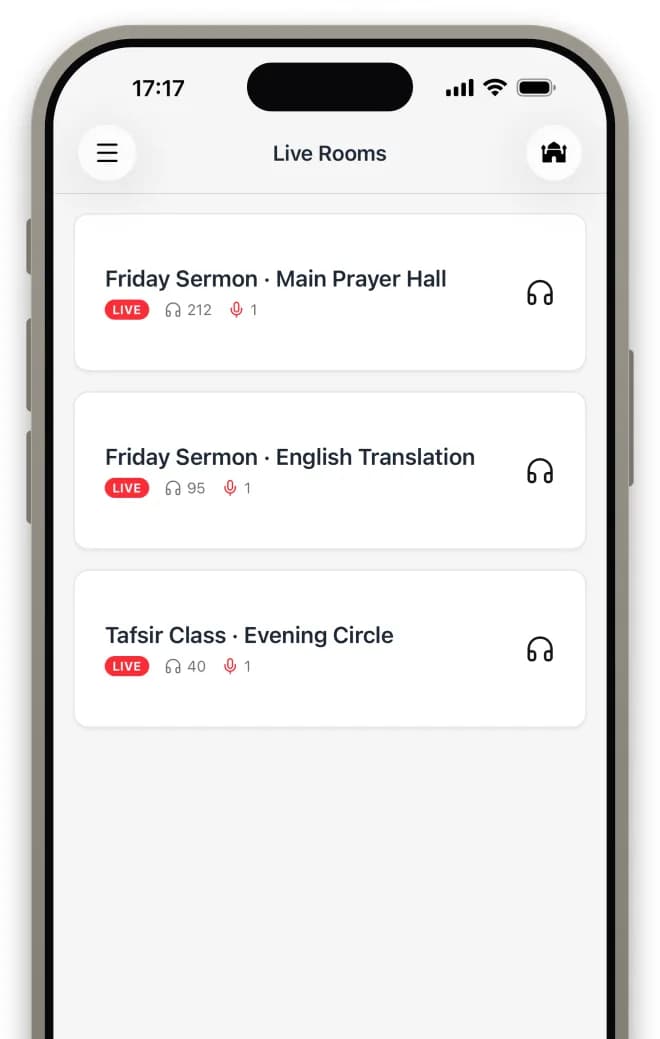
The alternative is an integrated mosque platform: the stream lives on your own website and in your own app — right next to prayer times, events, and donations, with no ads and no distractions. Access control for internal sessions and live translation on the same audio signal are part of the system rather than an improvised workaround.
moschee.io takes exactly this approach: audio and video livestreaming are built into the platform, AI translation with audio and captions runs on the same stream, recordings are kept, and everything appears on your mosque website and in your community's app. You can try the Basis plan with livestreaming and translation free for 14 days — and compare both approaches in parallel.
- Social platforms: maximum reach, but ads, recommendations, and no control
- Integrated platform: the stream lives on your own website and app
- Access control for classes and internal sessions
- Live translation and recordings from the same signal
Decide based on your audience, not the technology: a social channel can make sense as an extra for open outreach — but your community's home should be your own website and app.
Privacy, permissions, and etiquette
Before the first broadcast, inform the community: a notice at the entrance, an announcement, and a short note on the website are enough. Put in writing what gets streamed (khutbah only? classes too?), whether it is recorded, and how long recordings stay online.
Respect that some attendees do not want to appear on video — that is a legitimate wish, not an obstacle. An audio-only stream, camera-free zones, and framing that shows only the speaker resolve almost every conflict before it arises. Extra restraint applies to children and the women's area.
For mosques in the EU, the GDPR adds obligations: the association operating the stream is responsible, should mention it in its privacy policy, and should prefer a provider with hosting in Europe. Also settle internally who owns the recordings and who may delete them — by default the board, not whoever happens to hold the YouTube password.
- Inform the community in advance: notice, announcement, website note
- Written rules: what is streamed, what is recorded, how long it is kept
- Respect camera-free zones; protect children and the women's area
- GDPR: clarify responsibility, prefer providers with EU hosting
- Anchor recording ownership and deletion rights with the board
A simple rule of thumb for every discussion: the camera shows who is speaking — never who is listening. Stick to that consistently and you resolve most privacy questions before they are even asked.
Common questions
What does a mosque livestream setup cost?
Getting started is surprisingly cheap: the existing PA system, a used USB audio interface, and a phone or laptop are enough for a solid audio stream. Costs only grow with ambition — a fixed camera, cabling, a dedicated streaming machine. Start small and upgrade once your community embraces the stream.
Audio-only or video?
Audio-only is a fully legitimate, deliberately chosen default for many mosques — it protects attendees' privacy, is technically simpler, and is entirely sufficient for the khutbah and lectures. You can always add video later, once the team and the demand are there. The reverse also holds: a video stream with bad audio helps no one.
Can we stream only to our own community?
Yes — you need a platform with access control, such as unlisted or private broadcasts. On open social platforms this is only partly possible; an integrated mosque platform like moschee.io can restrict internal sessions such as classes or association meetings specifically to your own community.
Can the livestream be translated live?
Yes. AI translation can run directly on top of the same audio signal you are already streaming — listeners pick their language and receive audio and captions on their own phone. moschee.io combines both in one platform: livestream and AI translation run from a single source, optionally with human interpreters as well.
Do we need a streaming license or permission?
The rights to your own khutbah and your own lectures lie with your mosque — you need no external license for those. Third-party content can be different, for example played-in nasheeds or other people's recitations, and every platform has its own terms of service. Check your platform's rules and seek advice in case of doubt — this guide is not legal advice.
Put it into practice today
moschee.io includes prayer times, a website, an app, livestreaming, and AI translation. Prayer times are free; everything else starts with the Basis plan — try it free for 14 days.
Keep reading
AI Khutbah Translation: The Complete Guide for Mosques
Read guide →Digital Prayer Times Displays: The Setup Guide for Mosques
Read guide →